Montek IngenieríaAppsSiteCad
Montek SiteCad
Closed testing on Google Play · November 2026

Measure on site.
Deliver exact
the same day.

9.000 m · locked dimension

Draw walls with their real thickness, lock the dimensions you have checked and let your Leica DISTO laser or your voice do the rest. The plan comes out as PDF, DXF and Excel before you are back at the office.

DXF · PDF · XLSXdelivery formats
88EN/ISO and ANSI objects
No signalneeded to draw and measure
4languages: es · en · pt · fr
Smith House GF · 1:50 Wall · 15 cm LivingKitchenBathBedroom 19.9 m²8.9 m²4.9 m²25.7 m² 6.60 9.00 3.30 WallDoorWindowObjectExport

We are looking for architects and engineers for the closed test on Google Play.

I want to try it
On site

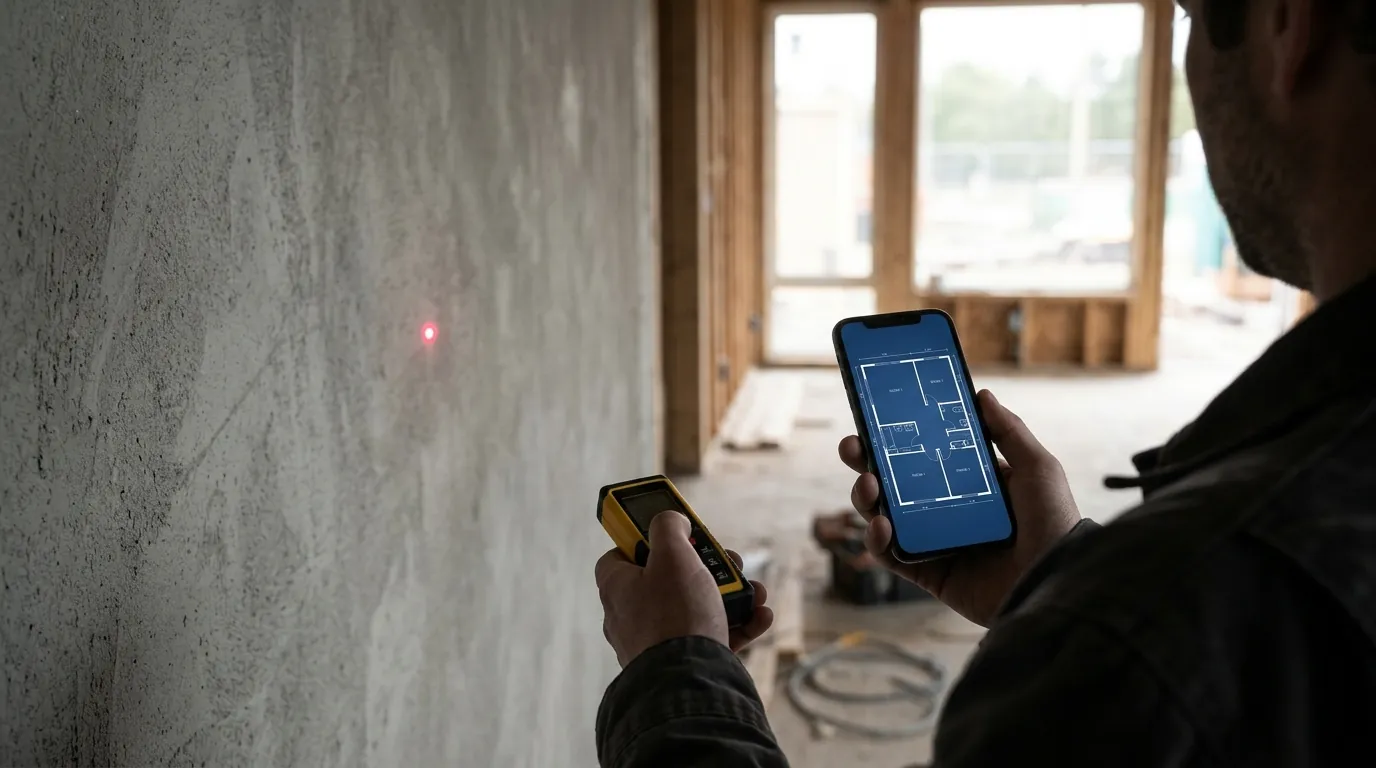
How a plan is surveyed with SiteCad

An apartment measured with laser and voice, from the first wall to the PDF, uncut.

An apartment measured with laser and voice, from the first wall to the PDF, uncut.
Before and after

From paper sketch to DXF, with no redrawing

The usual way

  1. Hand sketch and tapeMeasurements written on an out-of-scale drawing.
  2. Redraw at the officeHours turning the sketch into CAD, another day of work.
  3. Transcription errorsOne misread number and you are back on site.
  4. Areas with a calculatorRoom areas added up by hand, one by one.

With Montek SiteCad

  1. Readings go straight inFrom the laser or your voice into the wall you are drawing.
  2. The plan is the planWalls at real scale, with thickness, dimensions and rooms.
  3. Dimensions that stayLock what you checked; fix another and nothing distorts.
  4. Automatic areasNet, gross internal and gross external by room, group and floor.
Features

The whole survey in one app

From the first wall to client delivery. Pick a feature to see it.

8.000 5.50 Living 44.0 m² The locked dimension stays: the free wall slides.

Dimensions that hold

  • Walls with real thickness, inside and outside dimensions, angles and curved walls.
  • Lock a dimension and the app keeps it: change another and the plan slides.
  • Keypad with + − × to add to or subtract from the current length.
  • Magnet, orthogonal mode, join walls, parallel move, copy and paste between floors.
3.902 3.902 “wall three right” Leica DISTO

Laser and voice

  • Connect your Leica DISTO by Bluetooth: each reading goes straight into the wall.
  • Four readings in a row with the laser close a room on their own.
  • Dictate “wall three right”, “room three by four”, “add twenty centimeters”.
  • Voice in English, Spanish, Portuguese and French.
Living22.0 m² Kitchen12.5 m² Bath7.5 m² Patio21.0 m² NIA42.0 External21.0

Rooms and areas

  • Every closed room gets a name and an area.
  • Patios, galleries and terraces drawn with lines, not counted as walls.
  • Building groups and an area schedule for each floor.
  • Multiple floors with the floor below shown as reference.
1.60 × 2.00 2.10 × 0.90 Doors, windows, stairs and objects with standard sizes

Doors, windows, stairs and objects

  • Many door and window types with previews, also on curved walls.
  • Straight, L and U stairs with handles to stretch each flight.
  • Bathroom, kitchen, bedroom, electrical, water and gas, safety, structure and more.
  • EN/ISO or ANSI/NKBA/ADA sizes; stretch them without distortion.
12.00 PDF guide · scale 1:100 Walls traced over the ghost guide

Plans as a guide

  • Import a DXF, a PDF or a photo of a plan as a ghost guide.
  • Auto-scaled from the PDF dimensions or calibrated with a known length.
  • Turn a DXF guide into editable walls.
  • Compare what was built with the design.
5.00 AREA SCHEDULE Living19.89 Cocina8.91 Baño4.86 NIA33.66 MONTEK SITECADSmith House · GF1:50 · A4 DXF XLSX

Professional output

  • PDF and image with title block and area schedule, at the scale you choose.
  • DXF for AutoCAD and other CAD software, one floor or all of them.
  • Excel area report by group, floor and room.
  • Notes with arrows, photos per room and GPS location of the plan.

Ready for your first survey?

Start free: drawing and measuring have no limits.

See pricing
Tutorial

Your first plan in five steps

The full tutorial (in Spanish for now) has a drawing for each step. You can follow it with the sample house, from your desk.

  1. Create the plan

    Home screen → New plan. Wall is active.

  2. Draw the walls

    Tap a start point and then each corner.

  3. Set the lengths

    Tap the dimension, type on the keypad and OK: it is locked.

  4. Add the rest

    Doors, windows and room names.

  5. Export

    Export → PDF, DXF or Excel, and share it.

Deliverables

What your client receives

Files any office can open. No client needs the app to view them.

LivingKitchenBathBedroom 19.89 m²8.91 m²4.86 m²25.74 m² 6.60 9.00 AREA SCHEDULE RoomArea (m²) Living19.89Kitchen8.91Bath4.86Bedroom25.74 Total NIA59.40 MONTEK SITECAD Smith House · Ground floor Date 24/10/2026 Scale 1:50
Illustration of an A4 PDF sheet with title block and area schedule.
PDF
PDF and image for the client

One sheet per floor, A4 to A0, with title block, dimensions and area schedule. JPG to send by WhatsApp.

DXF
DXF for the office

Walls, dimensions, text and openings for AutoCAD and other CAD software. One floor or all in one file.

XLSX
Excel area report

Sheets for gross external (GEA), net (NIA) and rooms, with ready sum formulas.

Works with

Works with what you already use

Whatever your office runs, the plan arrives in a format it already knows.

Leica DISTOLaser via Bluetooth
AutoCADDXF with walls, dimensions and text
ExcelAreas with formulas
WhatsAppPDF and image in seconds
Google Drive.mkc backup
Other CADAny software that reads DXF
Who it is for

Built for people who measure on site

ArchitectureArchitects and designers

Survey existing buildings before a remodel or extension.

EngineeringEngineers and builders

Check what was built, areas per floor and up-to-date site plans.

ValuationSurveyors and appraisers

Net and gross areas for valuations and banks, with the plan attached.

Real estateAgents and property managers

Clear plans to sell, rent or manage properties.

PermitsCondominiums and permits

Areas per unit and floor for permit drawings and paperwork.

EducationStudents and teachers

Learn to survey a plan with real measurements on a phone.

Pricing

Start free. Go Pro when you need it

Drawing and measuring are complete in the free version. Pro removes the delivery limits.

Free

To try it out and for small jobs

US$ 0forever
Start free
  • Full drawing and measuring, with the area of each room
  • 3 plans, 1 floor per plan
  • Watermarked PDF and image
  • 3 DXF exports a month, watermarked
  • Voice: 20 commands a day · laser: 7-day trial
  • Day pass: watch 3 short ads and get 24 h of unlimited voice and laser, area schedule and more guides
  • No Excel, multiple floors or photos
14 days free

Pro

For people who deliver plans every week

4.99US$ per monthRenews every month. Cancel any time.
39.99US$ per yearWorks out to US$ 3.33 a month. Save 33%.
89.99US$, one-timeNo renewals: you pay once.
I want to try Pro
  • Unlimited DXF and Excel
  • Unlimited floors and plans
  • Unlimited DISTO laser, voice and photos
  • PDF and image without watermark
  • No ads
  • 14-day free trial: cancel before it ends and you pay nothing

Team Coming soon

For offices, builders and appraisers

US$ 9per user per month · minimum 3
Get a quote for my team
  • Everything in Pro for each user
  • Web panel to assign licenses
  • Invoice in the company's name
  • Team training
  • Paid through Google PlayGoogle processes the charge. We never see or store your card details.
  • 14 days with no chargeCancel before the trial ends and you pay nothing.
  • Cancel any timeFrom Google Play → Payments & subscriptions, no need to contact us.
Compare plans
FeatureFreeProTeam
Drawing, measuring and room areasIncludedIncludedIncluded
Plans and floors3 plans, 1 floorUnlimitedUnlimited
PDF and imageWith watermarkNo watermarkNo watermark
DXF for CAD3 a month, with adsUnlimitedUnlimited
Area schedule in ExcelNot includedIncludedIncluded
Leica DISTO laser7-day trial, then with the Day passIncludedIncluded
Voice input20 commands a dayUnlimitedUnlimited
Photos per roomNot includedIncludedIncluded
AdsVideos you choose to watchNo adsNo ads
License panel and company invoiceNot includedNot includedIncluded
Site pass

7 days of Pro for a one-off delivery, no subscription.

US$ 1.99
Students and teachers

Special terms for education.

Contact us

Ads in the free version are short videos you choose to watch to unlock something. They never pop up on their own or interrupt drawing.

Prices shown in US dollars for Bolivia and most of Latin America. Google Play shows the final price in your currency, which may vary by country and taxes. Subscriptions renew automatically; you can cancel any time in Google Play.

With you from the first wall

Illustrated tutorial, full manual, a voice command card for the site and support from the people who make the app (in Spanish for now).

Trust

Why you can trust SiteCad with your plans

Your plans are yours

They are stored on your phone. They only leave when you share them or ask for a DXF or Excel file.

Open formats

DXF, PDF and Excel any office can open. You are never locked into the app.

Support from the makers

Write to montek.ingenieria@gmail.com and the Montek team answers.

Clear pricing

Pay and cancel in Google Play. 14-day trial with no charge if you cancel before it ends.

Roadmap

Estimated dates.

  1. December 2026v1.0 · Launch

    Free and Pro on Google Play, server-built DXF and Excel, laser and voice.

  2. January 2027v1.1 · Accounts and cloud

    Optional account, cloud backup of plans, viewer on this website and license codes.

  3. February–April 2027v1.2 · Teams

    Team plan with assignable licenses, shared plans and survey report.

See what's new
Reviews

Reviews will come from real users

During the closed test, architects and engineers use SiteCad on real sites. We will publish what they say here, with their name and permission.

Become a tester
FAQ

Frequently asked questions

Do I need internet on site?

Not to draw, measure, save or export PDF and images. DXF and Excel files are built on our server: with no signal they wait in a queue and go out automatically when you are back online.

Are my plans uploaded?

Your plans stay on your phone. They only travel, encrypted, when you ask for a DXF or Excel file, and they are deleted from the server as soon as the file is ready.

Which laser meters work?

Leica DISTO meters with Bluetooth. Each reading goes straight into the selected wall or dimension.

Does the DXF open in AutoCAD?

Yes. The DXF opens in AutoCAD and other CAD software that reads DXF, with walls, dimensions and text.

Is there a manual or tutorial?

Yes, on this website: a step-by-step tutorial for your first plan and a full manual with every feature and the voice commands (in Spanish for now).

Is there an iPhone version?

Not yet. Montek SiteCad runs on Android phones and tablets with Android 8.0 or later.

How do I cancel my subscription?

In the Google Play app: your photo → Payments & subscriptions → Subscriptions → Montek SiteCad → Cancel. If you cancel during the 14-day trial, you are not charged.

Do I need an account?

No. Accounts will come as an option in version 1.1, to back up your plans in the cloud and view them on this website.


Your next survey, on your phone

Montek SiteCad is part of the Montek family. Made for architects, engineers, builders and surveyors.

Launch · December 2026Coming soon to Google Play